
CSS stands for Cascading Style Sheet and it is used to o design HTML tags. CSS is a widely used language on the web. CSS Solved a Big Problem of html tags. HTML was NEVER intended to contain tags for formatting a web page.
CS.
There type of approaches are used in CSS.
i) Inline CSS
ii) Internal CSS
iii) External CSS
HTML Code Example
All HTML documents must start with a document type declaration: .
The HTML document itself begins with and ends with .
The visible part of the HTML document is between
HTML tag
The HTML
element is used as a container for metadata (data about data). It is used between tag and tag. The head of an HTML document is a part whose content is not displayed in the browser on page loading. It just contains metadata about the HTML document which specifies data about the HTML document.An HTML head can contain lots of metadata information. But head part has a crucial role an HTML document while creating a website.
Metadata defines the document title, character set, styles, links, scripts, and other meta information.
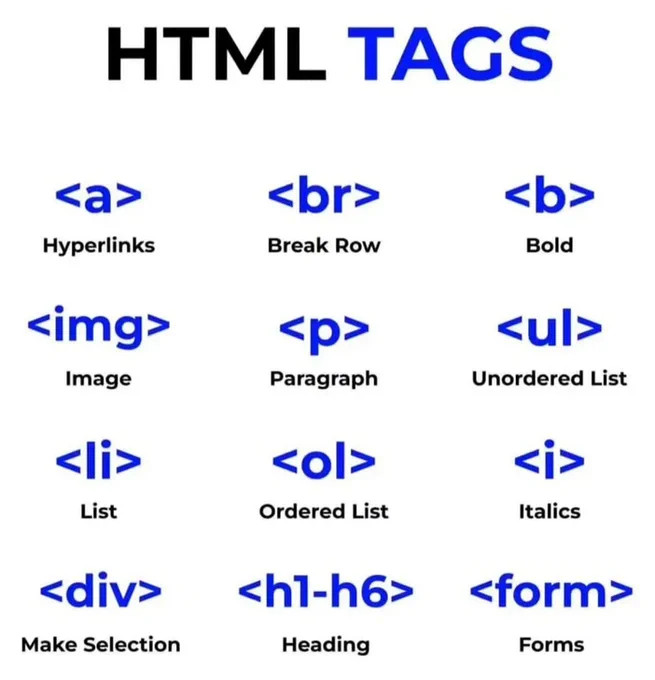
HTML tags
Bootstrap sample code
Bootstrap sample code for practice
Columns in bootstrap
In bootstrap, every row is divided into 12 equal parts. Its provide mobile friendly and all device responsive design framework to manage html them on all devices.
Responsive containers
Responsive containers allow you to specify a class that is 100% wide until the specified breakpoint is reached, after which we apply max-widths for each of the higher breakpoints. For example, .container-sm is 100% wide to start until the sm breakpoint is reached, where it will scale up with md, lg, xl, and xxl.
Fluid containers
In bootstrap use .container-fluid class for a full width container, spanning the entire width of the viewport.
Utilities for layout
For faster mobile-friendly and responsive development, Bootstrap includes dozens of utility classes for showing, hiding, aligning, and spacing content.
Bootstrap is built with flexbox, but not every element’s display has been changed to display: flex as this would add many unnecessary overrides and unexpectedly change key browser behaviors. Most of our components are built with flexbox enabled.
Use the margin and padding spacing utilities to control how elements and components are spaced and sized. Bootstrap includes a six-level scale for spacing utilities, based on a 1rem value default $spacer variable. Choose values for all viewports (e.g., .me-3 for margin-right: 1rem in LTR), or pick responsive variants to target specific viewports (e.g., .me-md-3 for margin-right: 1rem —in LTR— starting at the md breakpoint).
Navbar code of HTML with CSS
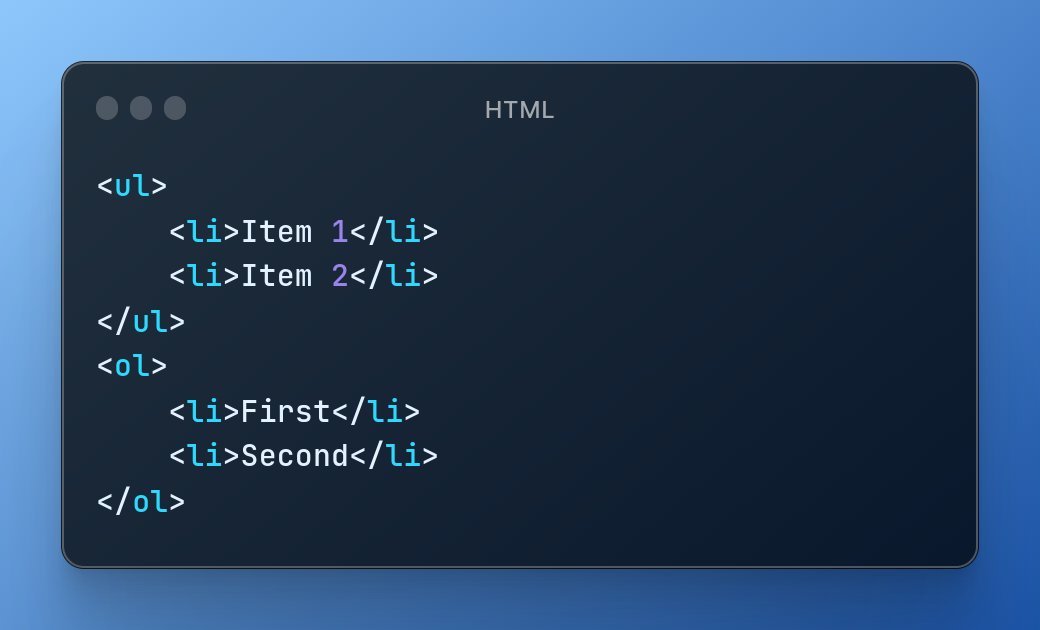
Nav tag is used for navigation. Ul, li, achor tags are also used in navbar coding.
Navbar with bootstrap5
Navbars come with built-in support for a handful of sub-components
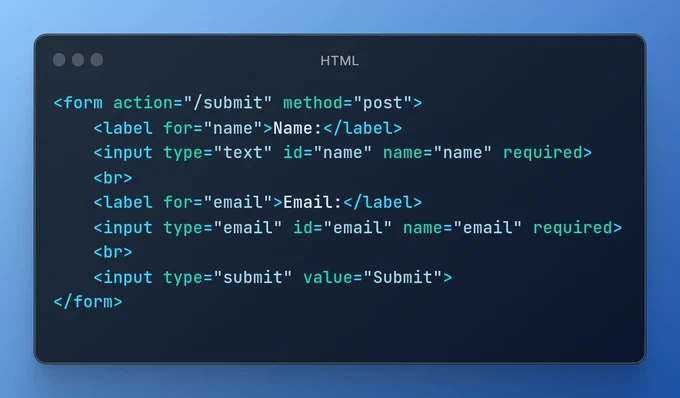
HTML Form sample code
The input from the user is generally sent to a server (Web servers, Mail clients, etc). We use the HTML tag